
Fix typos without leaving Premiere Pro.
The panel imports your spelling report straight onto the timeline. Every finding becomes a sequence marker, placed by source timecode, so you never retype a timecode again.
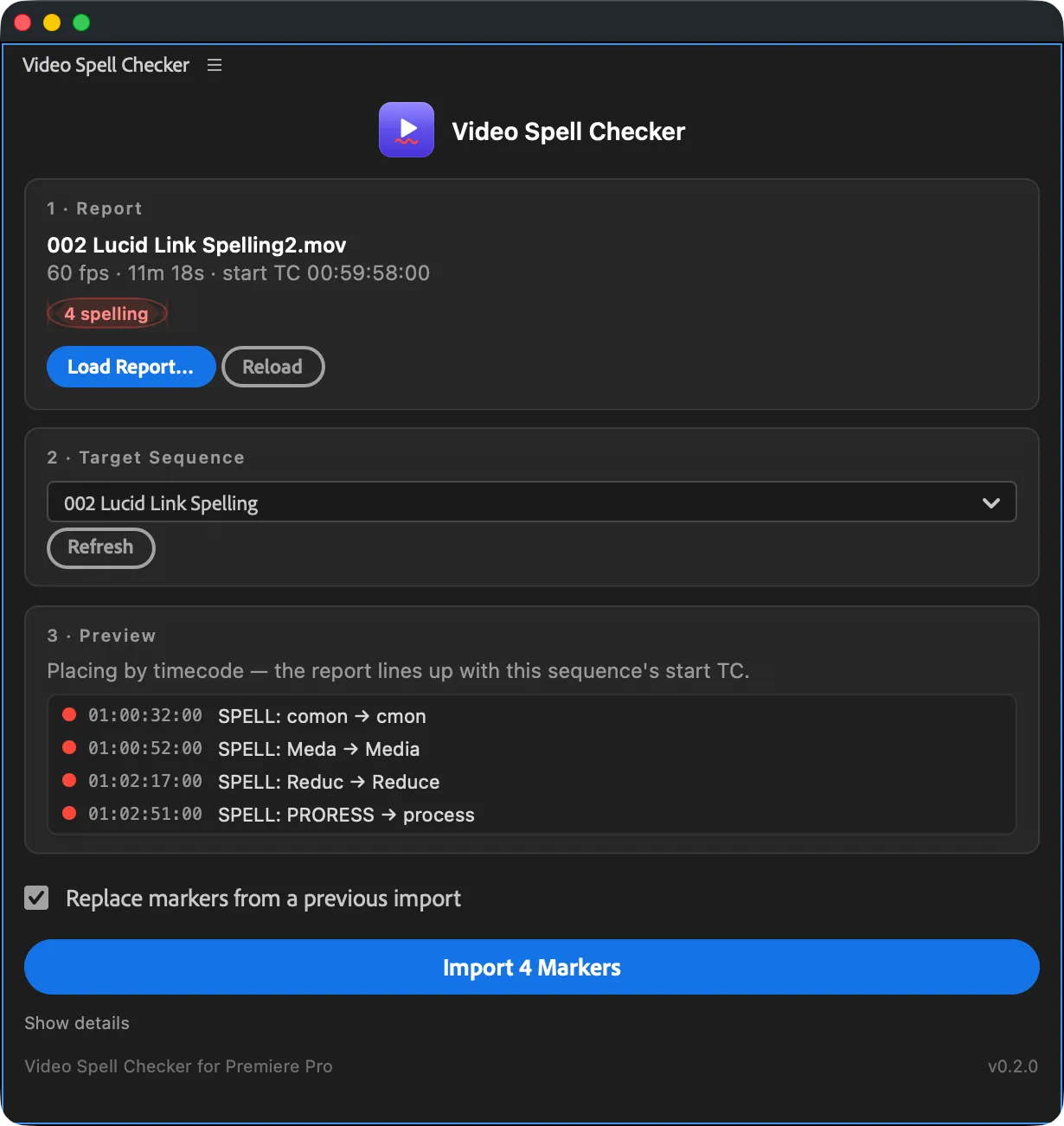
Load the report, pick the sequence, import. That's the whole workflow.
From report to timeline
- Step 1Export the reportIn Video Spell Checker, run your check, then choose Export Markers → Premiere Pro Panel.
- Step 2Load it in the panelOpen the panel in Premiere Pro and load the report. It shows the source file, frame rate, and finding count.
- Step 3Pick the sequenceChoose the target sequence. The panel previews every marker before anything is written.
- Step 4Import the markersSpelling findings land as red markers with the fix in the comment; black frames land as green ranges.
Placed by timecode, not guesswork
The report carries the source file's start timecode, so markers line up even when your sequence starts at 00:59:58:00 or has a slate at the head. If a finding falls outside the sequence, the panel tells you instead of dropping it silently.
Re-imports stay clean
Fixed the typos and re-checked? Import the new report and the panel replaces its own markers from the previous pass. Your own markers are never touched.
Working in DaVinci Resolve? The app exports timeline markers for Resolve too, no panel needed. See the export cheat sheet.